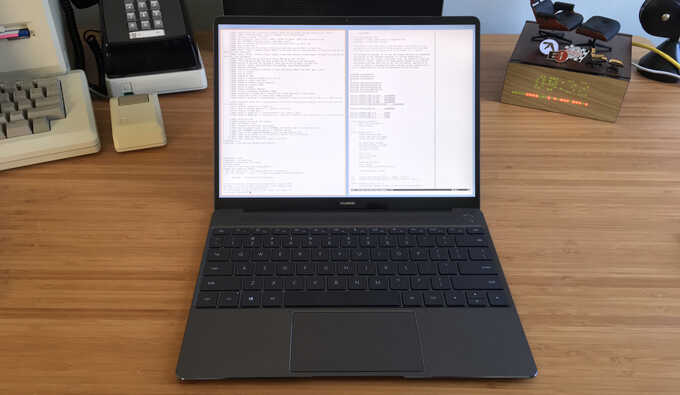
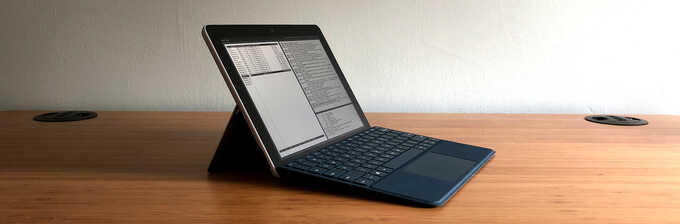
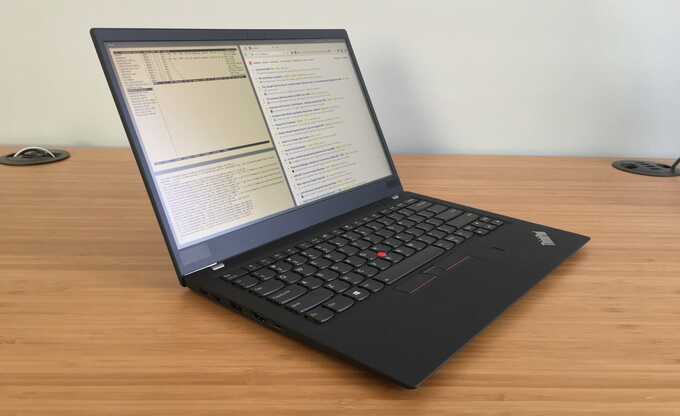
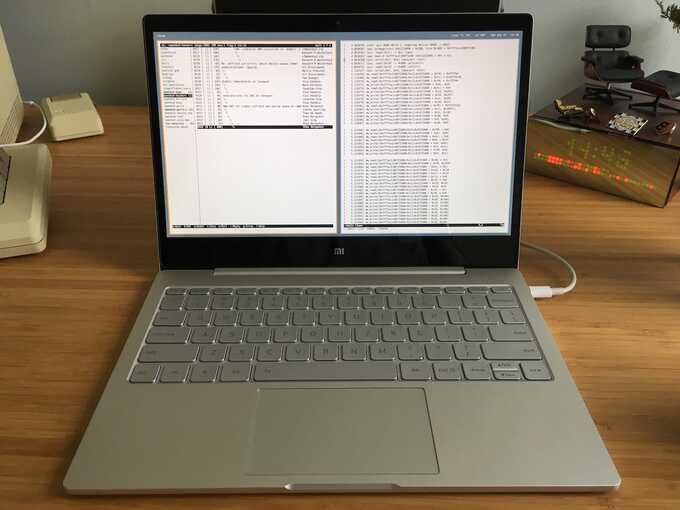
in my quest to find the perfect openbsd-compatible laptop, i have purchased, tested, and sold quite a few different machines from different vendors. the specifications, x11 and openbsd configuration files, and notes for each laptop are provided here, in reverse chronological order of their purchase. for more information on openbsd on other laptop makes and models, visit the official openbsd/i386 laptop page.

the ideal laptop for me is something small, lightweight, and thin with a display and keyboard that are usable for long amounts of work. it must have working x11 (resolution doesn't matter as long as it's not too high or low), sound, wired and wireless networking, usb, battery status, suspend/resume (and hibernation if possible), and adjustable screen brightness and cpu speed. it should have good battery life and the ability to quickly swap between different batteries. extra things like working external vga monitor support, fingerprint scanner, and a camera are nice but not that important.

i am currently still using my thinkpad x40 as my primary workstation as it has the best openbsd support. the other laptops here have either been sold or forgotten about because they lack certain functionality.


hp 2133 mini-note (KX870AT)

image of hp 2133 mini-note

the hp 2133 mini-note is a relatively cheap "ultramobile pc" that is roughly the size of my libretto l5 or the eee pc. however, the 2133 is much more usable with its full-size keyboard and better performance. while it is available from hp with suse linux installed, the best hardware configuration (bluetooth, 7200rpm hard drive) is only available with windows vista.

installation of openbsd is straight-forward; pressing F12 at boot will allow PXE booting over the broadcom network card. the broadcom wireless network card is not yet supported; the bwi driver claims its mac revision is too new and some quick edits to bypass the checks results in a firmware loading error.

the 2133 claims to have a working apm interface so acpi does not get enabled. however, battery status does not get reported and suspend does not work. booting with acpi enabled spins before going to multi-user which is the same problem my oqo model 2 (also a via c7-m) had.

the integrated sd slot works and attaches dynamically as a umass device when cards are inserted.

audio works fine. the integrated webcam can be found by the new uvideo driver but reports a problem with its descriptors. the chrome9 video works with x11 but to get the proper 1280x768 resolution, the openchrome xorg driver must be used. the "SWCursor" and "VbeSaveRestore" options must be enabled for proper operation, as well as a modeline for 1280x768.

adjusting the cpu speed to all of its available speeds did not work because the 1.6ghz c7-m is not listed in the est driver. i adapted a diff from netbsd that is able to figure out the intermediate speeds instead of just defaulting to the highest and lowest values, and now the cpu can be scaled to 800mhz, 1ghz, 1.2ghz, 1.4ghz, and 1.6ghz.

the brightness and sound volume keys do not work and will probably need some acpi glue. the hardware button to disable the trackpad works.

2008-06-13: acpi finally works, although it requires booting the bsd.mp kernel to fix some interrupt stuff. the webcam is now recognized by uvideo(4) although it returns an error when attaching due to a usb descriptor problem.


lenovo thinkpad x61 tablet

image of lenovo thinkpad x61 tablet

i wanted to upgrade from my x40 to something with a larger screen but without a much larger footprint. since i've also been wanting something in tablet form, the x61 tablet was a logical choice. the x61 is only slightly larger than the x40 and has a dual core 1.6ghz processor, 3gb of ram, and a wacom "penabled" tablet screen. the "super wide angle sxga+" display gives a 1400x1050 resolution in the same 12" screen (a "multiview/multitouch" version is available that offers a true touch screen mode without needing a pen, but it only supports 1024x768).

the x61 tablet is not quite as openbsd-compatible as the x40, but mostly because the x61 needs acpi instead of getting by with just apm like the x40 could, and thus needs proper acpi drivers in the kernel to accomplish what the x40 could in the bios. x11, ethernet, usb, sound, the sd card reader, fingerprint scanner, and the wacom tablet currently work. the wireless card and pcmcia do not.

there is currently a problem with the atheros wireless driver which prevents the interface from working properly. it can see access points and even associate to one and receive broadcast traffic, but it can't seem to send any real traffic such as dhcp requests. i am using a usb d-link wireless adapter for now.

the wacom tablet functionality works by attaching a serial device (com0). like the fujitsu lifebook, the kernel simply needs to probe at a non-standard irq and io address (0x200 irq 5). a cu -l /dev/tty00 will scroll characters as you draw across the screen with the pen.

the tpb application that i was able to get working on the x40 by creating openbsd's nvram driver does not work properly on the x61. this may just be due to the format of that nvram data being different on the x61 and may just require some changes to properly detect which button has been pressed. a better solution would be to write a proper acpi driver to hook into these things. i have begun work on such a driver.

suspend and hibernation do not work. battery status reporting mostly works, as does cpu throttling.

the buttons around the screen come through as standard keycodes, so mapping them is easily accomplished with xmodmap:

! little button that can only be pressed with the tip of the pen
!keycode 198 =
! screen rotation key
!keycode 204 =
! whatever that button is to the right of rotate
!keycode 199 =

keycode 203 = Escape

! d-pad arrows and center
keycode 209 = Up
keycode 206 = Left
keycode 205 = Right
keycode 207 = Down
keycode 200 = Return

it would be useful to run a script when the screen gets rotated with xrandr to modify the d-pad keys to always send the proper directional arrows depending on how the screen is oriented.

2008-02-15: updated tablet information; it seems to be working fine now without any kernel changes other than using config(8) to set the irq and io address. added keycode information for screen buttons.

2008-02-18: i have written an acpi driver to enable bluetooth and receive updates when special keys are pressed. brightness adjustments with fn+home and fn+end are also working.

this laptop was sold in march 2008. while i liked the tablet functionality, i found the high resolution on the small screen hard on my eyes after long periods of work. i also didn't like that the processor could not scale down farther than 1.2ghz (my x40 can scale from 1.4ghz down to 600mhz) which hurt battery life. not having working suspend and hibernation was also a big problem.


fujitsu lifebook p1610

image of fujitsu lifebook p1610

the fujitsu lifebook has similar hardware specs to the oqo but in a slightly larger package allowing for a normal keyboard, higher screen resolution, and flip-around tablet mode.

it is mostly openbsd-compatible out of the box. installation of 4.2 was done via pxeboot and with acpi enabled in -current, most things just work (though strangely the ath device does not with acpi enabled, but does with it disabled).

to get xorg working on the internal display at 1280x768, the 915resolution package must be installed and called from rc.securelevel:

/usr/local/sbin/915resolution 4d 1280 768

if the intel driver is used in xorg (not built on i386 by default; must be compiled from xenocara tree), xrandr can be used to rotate the screen contents when the physical screen is rotated around. i'm not sure if acpi can provide a way to hook into this to rotate automatically.

the touchscreen does not work out of the box, however. the standard pccom0 device in the default kernel config probes on 0x3f8, but this serial device that the touchscreen communicates through is on 0x220. after installation, just edit the kernel with config and change the port:

# mv /bsd /bsd.old
# config -o /bsd -e /bsd.old
OpenBSD 4.2-current (GENERIC) #607: Tue Dec 18 18:36:52 MST 2007
    deraadt@i386.openbsd.org:/usr/src/sys/arch/i386/compile/GENERIC
Enter 'help' for information
ukc> change pccom
273 pccom0 at isa0 port 0x3f8 size 0 iomem -1 iosiz 0 irq 4 drq -1 drq2 -1 flags 0x0
change [n] y
port [0x3f8] ? 0x220
size [0] ? 
iomem [-1] ? 
iosiz [0] ? 
irq [4] ? 
drq [-1] ? 
drq2 [-1] ? 
flags [0] ? 
273 pccom0 changed
ukc> quit
Saving modified kernel.

once the machine is rebooted and pccom0 shows up, the touchscreen can be used in xorg with the fujitouch driver. unfortunately the 5 buttons on the lower corner of the screen require an acpi driver to hook into (a driver is available on linux, however).

surprisingly enough, even the fingerprint scanner works in openbsd. it attaches as ugen0 and works with the fprint library. i am planning on developing a bsd authentication module that can use this to login.

2007-12-22: the recent merge of xserver 1.4 includes some core changes that affect how coordinates are received from input devices like the fujitouch touchscreen driver. currently it is only working as an auxiliary xinput device in applications like gimp.

2007-12-23: the it driver in -current as of 2007-12-18 included a probe function that broke the touchscreen device. this has just been fixed by form@.

this machine was returned in january 2008.


oqo model 02

image of oqo model 02

after waiting 6 months for my oqo model 02 order to ship, i finally received it. a much better display, keyboard, and overall look than the model 01, i was hoping to use it with its dock and an external monitor as a desktop machine that i could easily take with me.

installation of openbsd was done through a usb cdrom drive. x11 came up in 800x480 without any problems using the vesa driver (xorg's via driver did not support this new via chip), but therefore prevented its ability to drive an external monitor at a higher resolution.

unlike the model 01, the 02's keyboard and mouse worked fine in openbsd. the touch sliders on the corner of the screen are recognized as a normal mouse wheel and can be used to scroll around. most of the keyboard's built-in functions like zoom keys return normal scancodes to x11 and could be mapped to actually do things.

the accelerometer that parks the hard drive is built into the bios (and does the scream from the speaker through it, too) so nothing needs to be done in the kernel to support it. if the disk is doing something while it gets parked, a pciide timeout message is logged.

the sprint cdma modem attaches a normal com device. however, as indicated in the umsm manpage, the device cannot be activated from openbsd and must be done through windows. i never did this, however.

unfortunately, the oqo model 02 suffered from some very strange bios issues that prevented it from working properly with openbsd. when booted with the default bios settings (SMM enabled), the azalia, ehci, and ath devices report various interrupt-related failures and do not work. however, if the device is cold booted with SMM enabled, then rebooted warm and SMM is disabled in the bios, and uhci and azalia are disabled in the kernel with boot -c, the system will boot to multiuser with working ehci and ath. further acpi development may fix this problem in the future, but i can't be sure.

this machine was sold in august 2007.


ibm thinkpad x40 (2386-f1u)

image of ibm thinkpad x40

the x40 is was ibm's newest, thinnest, lightest laptop and is very openbsd-compatible, thanks in part to the fact that most of the extra features of the laptop are implemented entirely in hardware without the need for proprietary windows drivers. for example, the sound chip's volume and mute keys located above the function keys row, instant screen blanking and system suspend buttons (fn+f3 and fn+f4, respectively), display brightness adjustment keys (fn+home and fn+end, respectively), and a neat "thinklight" keyboard light (fn+pgup).

the two keys surrounding the up arrow key ("back page" and "forward page") can be mapped to standard keys in x11 with xmodmap. the keycodes for the left and right buttons are 234 and 233, respectively. i have mapped them to page up and page down with "keycode 234 = Page_Up" and "keycode 233 = Page_Down".

the centrino minipci wireless card was not originally supported under openbsd 3.5, so i replaced it with a lucent wavelan card which was supported and still allowed the use of the integrated dual antennas. i have since puchased a new x40 that came with an oem atheros-based minipci card, which for some reason did not work. upon booting, the bios would give an error about a resource conflict. i have replaced this card with an intel pro 2200bg card that is now supported by openbsd.

as of openbsd 4.0, the x40 has functioning cpu speed control ("sysctl hw.setperf=0"), sound, x11, pcmcia, secure digital card reader, and usb. support for ibm's security chip is available as a third-party patch. the only device not yet working under openbsd is the winmodem.

apm works to view battery status as well as suspend and hibernate the machine. if you have destroyed the hibernation partition and want to re-create it, define the first partition on the disk as type 16 and make it as big as the amount of ram plus 2mb. format the partition as a fat16 msdos partition ("newfs_msdos -F 16 /dev/rwd0i") and use the tphdisk utility (now in the openbsd ports/packages collection) to create a "save2dsk.bin" file on this partition ("tphdisk 598 > /mnt/save2dsk.bin"). after a full reboot, fn+f12 should hibernate the laptop. if it only beeps at you instead, make sure the partition has been formatted as fat16 and that the save2dsk.bin file is big enough to hold the entire amount of ram (system and video).

2004-10-03: i wrote and committed a read-only nvram driver so the the blue "access ibm" button, as well as all of the hardware buttons, can now be hooked into with tpb (available in the ports/packages collection as of 2004-12-01), a daemon that watches the nvram on ibm laptops which gets modified when buttons are pushed.

2004-10-20: a driver (ipw) is now available in-tree for the intel 802.11b wireless card. my lucent minipci card mysteriously stopped working one day (shows up, but won't associate or see any wireless traffic) so i have switched back to the intel card which works well (firmware licensing restrictions aside).

2004-12-08: support was added to properly shutdown and recover the em, wi, and ipw devices when suspending the machine, making apm work perfectly on the x40.

2005-08-05: jsg@ added support for reading ("sysctl hw.sensors") the internal accelerometer values from the x40. i wrote movelock to read these values and lock the screen (or run any arbitrary program) when the laptop moves too much (like when it's being stolen)

2006-05-28: support was added in openbsd-current for the secure digital card reader.

2006-07-21: after selling my previous x40, i purchased a new one that has a faster processor, integrated bluetooth, and a wireless card capable of 802.11g. the integrated bluetooth device attaches via usb when fn+f5 is pressed and works fine, although openbsd's userland bluetooth support is somewhat lacking. basic utilities used to scan for other devices function properly.

2006-07-21: replaced the non-functional ath minipci wireless card with an intel pro 2200bg (iwi) minipci card purchased from ebay.

2006-12-08: after too many problems with the intel iwi card flaking out (refusing to associate to certain networks, constantly getting "fatal firmware errors" that required a reboot), i switched to a ralink 2651-based card. use of the tpwireless program (available in ports/packages) is required to force the x40's bios to allow the card to be used. both built-in antennas can be used, but the wireless light at the bottom of the lcd screen no longer turns on when associated.


toshiba libretto l5/080 tnln

toshiba libretto l5

installation of openbsd on the libretto l5 can be done via pxeboot over the ethernet device (hold down the left or right arrow key while booting to cycle through the boot options).

while my previous libretto l5 (tnkw) had on-board wireless supported via the wi driver, this model does not have wireless. pcmcia and usb work, as well as x11 without any configuration file necessary. manual cpu speed adjustment for the transmeta crusoe processor works, though apm does not work. acpi support in -current allows apmd to read battery status, though suspend still does not work. the onboard secure digital card reader does not yet work.

2006-11-17: after selling my previous libretto in 2003, i have purchased another one on ebay, although this model does not have onboard wireless.

2006-11-17: replaced the japanese keyboard with an english version (model P000265440, normally for a toshiba portege 3000).

i broke some keys on the keyboard and i find this machine to be too cramped to use for long periods of time, so it mostly sits in my closet.


toshiba portege 2000

image of toshiba portege 2000

i owned a portege 2000 many years ago that ran openbsd 3.3 fairly well. i sold it for the apple powerbook 15" in november 2003 and eventually stopped using openbsd on laptops in favor of mac os x on a powerbook 12". however, i recently picked up another portege 2000 on ebay to resume openbsd development.

while as light as the libretto l5, the portege 2000 is thinner and more usable with a full 1024x768 screen and larger keyboard with a very responsive tactile. integrated intel ethernet and good ol' lucent/orinoco rebranded wireless with hardware on/off toggle switch make this laptop very openbsd-friendly.

openbsd improvements since 3.3 make installation much easier now. installation can be done by pxe booting bsd.rd over the network (if the machine tries to boot into something else, hold down the right arrow key at power on and select the network card icon). the bootloader no longer has geometry issues that affected the toshiba portege and libretto which required custom disklabel settings.

x11 works fine on the trident video chip at 1024x768 with 24-bit color, though it still manifests the annoying duplicate key problem that seems to affect all toshiba laptops. "xkbset exp bo" eliminates the problem (xkbset is in ports/packages).

apm support seems to be improved since 3.3. the machine suspends and completely resumes as expected with "zzz" and, after proper configuration in the bios (hold down escape while booting), closing the lid.

unfortunately, the fn+f[1-7] keys appear to be driven by software and have no effect on the machine while in openbsd, notably the display brightness, mute, and suspend buttons. the trident xorg driver does not appear to support brightness and gamma settings for the chip in the portege.

in order to get the pcmcia/cardbus slot to work correctly, the slot has to be put in "legacy" mode in the bios, rather than the standard apic mode. sound and usb work fine. the secure digital slot is not yet supported in openbsd.

this laptop was sold in june 2006.


oqo model 01

image of oqo model 01

the oqo model 01 is an "ultra personal computer" that puts a full x86 machine in the palm of your hand (or hands, i guess). the 5" screen slides upwards ~2" to reveal a qwerty keyboard with number pad, a "trackstik" mouse pointer, and two mouse buttons. internal to the computer are usb-attached wireless and bluetooth devices. on-board to the computer are a firewire port, two usb ports, a scroll wheel, and an audio jack. additional usb, firewire, and audio ports are available via the docking cable, as well as a usb ethernet device with jack and an external monitor connector. a wacom stylus controller is integrated into the unit and is accessible via the machine's serial device, with the stylus itself stored in the top of the unit.

the oqo's 20gb hard drive comes pre-loaded with windows xp, which i re-formatted and split 2gb for windows and the rest for openbsd. re-installation of windows xp is problematic due to the fact that the restore cd does not contain any drivers for the oqo hardware, so neither the wireless nor the ethernet work, and the display comes up at 800x600, so the bottom 120 pixels cannot be seen. but enough about windows.

as of openbsd 3.7, the oqo's usb devices are recognized and correctly attached, although wep on the wireless device (atu) is not supported. installation from the usb ethernet device works fine. the on-board mouse device does not respond correctly to a test in the pckbc driver, which causes it to fail attachment. also, enabling scancode translation on the keyboard screws up its output making it unusable (using a usb keyboard is required during installation).

x11 is supported with the siliconmotion driver, although only at a resolution of 800x600, not 800x480 as needed by the oqo. the "sw_cursor" option is required for a proper cursor. the wacom stylus works in x11 with the standard driver, although the calibration is a bit off. the scroll wheel located on the bottom of the oqo works fine in x11 just like a normal mouse scroll wheel, and clicking it acts as the third mouse button to paste.

the oqo has functional cpu speed control ("sysctl hw.setperf=0") via the crusoe processor's longrun feature. sound works fine through the headphone jack, as the oqo does not have its own speaker (besides a beeper). firewire and bluetooth have not been tested.

apm somewhat works. apmd cannot read battery/power status, but "zzz" will lightly suspend the machine (display is powered on, but blanked, machine remains "warm") with the power button successfully bringing it back to life. forthcoming acpi support in openbsd may have better luck in talking to the battery, suspending deeper, and reacting to lid sliding/closing events. windows has a hibernation feature that seems to be done in software, as windows shows a progress bar while hibernating and then the machine powers completely off. powering back on shows the oqo bios screen and then jumps right back into windows without showing the bootloader or anything.

2005-06-25: a hack is available to side-step the aux port probe to make the on-board mouse work, as well as disable xt scancode translation to make the on-board keyboard work.

2005-07-01: i committed support for the 800x480 resolution in the siliconmotion driver to openbsd's xf4 tree, which was submitted and committed upstream by the x.org powers that be.

2005-07-07: i committed a fix for a bug in the atu wireless driver that was preventing association to access points with ssid broadcasting disabled. wep is also working.

2005-08-06: i committed a workaround to the pckbc driver for the aux port of the oqo's keyboard not responding to the aux port tests. the aux port and on-board mouse now attach correctly. a hack is still needed to make the keyboard work correctly.

2007-01-30: i committed a better version of my pckbd hack that enables the keyboard on the oqo to finally work without any patches. x11 broke somewhere along the way, however, and no longer works on the oqo model 01+ i had for testing.

2007-11-26: miod@ backed out the pckbc change needed to find the oqo's mouse as it caused problems on legacy controllers.

this laptop palmtop was sold in september 2005.


apple powerbook 15" (m8980ll/a)

image of apple powerbook 15

the powerbook is a step down from the portege in terms of weight and overall size, but the widescreen display and integrated dvd player are worth (and the cause of) that extra bulk. the build quality and overall look of the powerbook are excellent. the processor fan and hard drive run so quiet even through a 'make build', it does not even sound like the system is on.

i used the pre-installed macosx for a few minutes to eventually get to a terminal (which used tcsh, to my delight) and install fink and cdrtools to burn the bootable openbsd ramdisk iso to a cd. i rebooted to the included macosx recovery dvd and repartitioned the drive, giving 2gb to macosx and made the other ~58 gb empty space to be used for openbsd. i reinstalled mac os x on the 2 gb partition and then installed openbsd from the ramdisk cd. the details of setting up dual-boot with mac os x and openbsd can be found in the very informative bsdcow howto.

the slot-loading cd-rw/dvd player works great with cdrtools and ogle (optimized with altivec support), respectively. the screen's brightness is conveniently controllable through wsconsctl (i am using "display.brightness=70" in /etc/wsconsctl.conf) and the built-in fn+f1/f2 keys through the abtn driver.

however, there were many compatibility problems between openbsd and the 15" powerbook's hardware at the time of purchase (mid-november 2003). many of them have been fixed and things are always improving.

2003-11-11: xfree86 4.3.0 would not recognize the radeon 9600 video chip. xfree86-current added support for the chip, but the display would come up garbled. i (re)opened a bug with the xfree86 team and after a few weeks of debugging on my own, was able to create a simple patch to get the display working. the patch has been submitted to the xfree86 group but not yet committed.

2004-01-11: the "snapper" sound chip was not supported by the existing macppc awacs driver. a snapper driver was ported from netbsd by drahn@ and committed, with a fix by myself shortly after for an xmms problem. a bug still exists where the audio is very staticky when using a pcmcia card. for example, with a wireless card, every time there is traffic on the interface, noises can be heard through the speakers/headphones.

2004-02-23: drahn@ proposed a fix for the pcmcia slot not responding to the insertion or removal of any cards, which was later committed on 2004-03-23.

an adb controller lockup issue exists where the trackpad and keyboard stop responding at random and the keyboard repeats a key forever until a reboot. this is by far the most annoying bug. i have received word that this problem has been fixed on 2004-05-28, but i cannot confirm whether it fixes all instances of the problem.

this laptop was sold in march 2004.


sony vaio pcg-vx89

image of sony vaio pcg-vx89

the vx89 is sony's newer lightweight model laptop, but is not a superslim like the z505je. the vx89 has a square footprint rather than a rectangle due to the big 14" screen, but it is very light and thin.

the pcmcia/cardbus controller does not work under openbsd 3.2-current. the problem is that the controllers have no bios-assigned interrupts, so they don't get mapped under openbsd. because the onboard wireless card is attached to one of the cardbus controllers, the wireless interface does not get probed and thus does not work. i've hacked the kernel a bit to manually assign interrupts to these controllers and have gotten the wireless interface to get recognized, as well as new pcmcia cards inserted. however, the controllers seem to be very slow because they do not register interrupts fast enough. this makes the wireless interface too slow to work, and causes a pcmcia network card to produce >1 second pings to hosts on the lan.

the vx89 uses acpi instead of traditional apm, and the sony jog dial wheel is controlled through a spic controller, both of which are not supported under openbsd. xfree86 4.2 on the i815 chip works fine with 24-bit color at 1024x768 with the new agpgart support in openbsd 3.2. both usb ports work, however, the i.link cd-rw/dvd drive does not. the sound chip plays sound, but seems to be playing at too fast a rate, regardless of the application.

surprisingly, however, the sony memory stick adapter works and shows up as a scsi-over-usb controller. i purchased a 32mb stick and am using it to store ssh keys.

the vx89 was rather big and had a thick battery so it sat angled upward in the back, which i didn't care for. the huge screen should have been able to display a resolution larger than 1024x768. the interrupt problem with openbsd made it pretty useless as a laptop, since i couldn't get any wireless networking to operate.

this laptop was sold in april 2003.


sony vaio pcg-z505je

image of sony vaio pcg-z505je

the z505je is much smaller and lighter and has a higher and sharper resolution than the f420. attempting to boot the openbsd 2.8-beta kernel would not boot due to a hang apparently caused by broken cardbus code. a "boot -c" and "disable pcibios" fixed the problem.

apm support is working for the most part. "zzz" or "apm -z" works, "apm -S" does not. "halt -p" works when machdep.apmhalt is set to 1 in /etc/rc.conf. x11, sound, pcmcia/cardbus, and usb are all working correctly.

the z505je was very light and had a nice screen. the keyboard tactile was nice, but the case felt a bit flimsy and rattled quite a bit.

this laptop was sold in july 2002.


sony vaio pcg-f420

image of sony vaio pcg-f420 and pcg-z505je

openbsd on the f420 worked fairly well, aside from not having an oss driver available from 4front for the yamaha chip. apm support was kind of flaky and seemed to vary throughout the 2.7 and 2.8 releases.

the f420 was big, heavy, slow, and had a small, poor quality screen.

this laptop was sold in october 2000.

powered by condensation and my own sense of self-satisfaction